

Search tutorial
Search results page (SERP)
Section titled “Search results page (SERP)”Search results page is typically rendered after the user presses the Enter key and provides the full search experience including filtering, sorting and pagination.
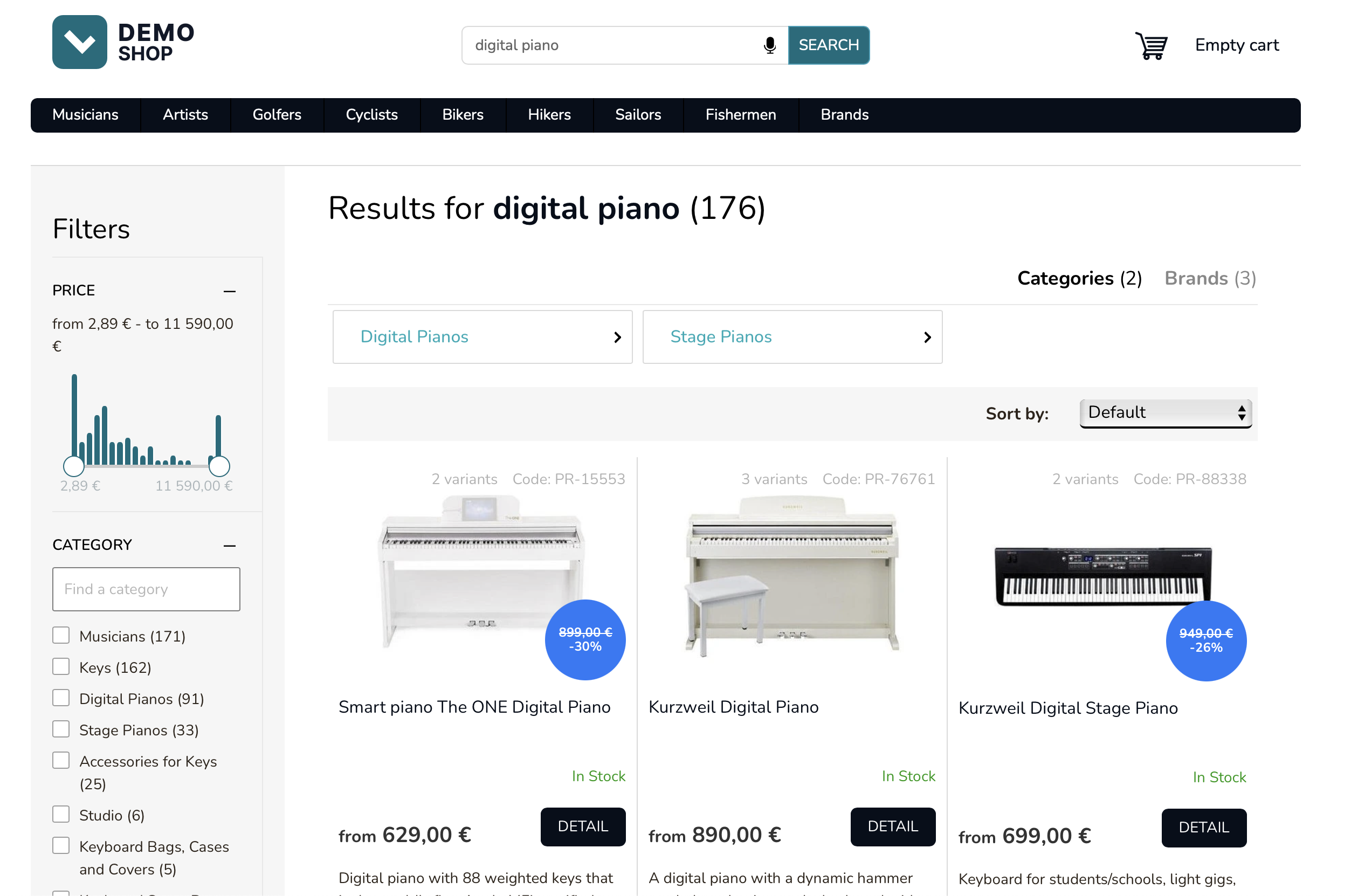
Search results page URL
Section titled “Search results page URL”
Each search results page should have a shareable URL which when opened, renders the search results preserving the phrase (query), selected filters and sorting.
This will usually be a dedicated page at a location such as /search. Usually, the page will have a GET parameter such as q which will capture the user’s phrase. Visiting this location will trigger the search flow.
When this search page is visited, make an API request to Luigi’s Box Search endpoint.
GET https://live.luigisbox.com/search ?q=digital+piano &f[]=type:item &facets=price_amount,category &user_id=<transient_user_id>q- pass the search phrasef[]=type:item- each search must have exactly one main type which will be used to compute available filters, to provide pagination and to sort on. Use an explicit filter ontypeattribute to provide the main type. You can request more than one type in a single request usingquicksearch_typeswhich will be demonstrated in a later step.facets=price_amount,category- the response will include breakdown of attribute values for attributesprice_amountandcategory. This part will let you render filtering options.user_id=<transient_user_id>- pass the value of the_lbcookie.
Search API response overview
Section titled “Search API response overview”Search API response high-level structure:
{ "results": { "query": "digital piano", "corrected_query": null, "filters": [ "type:item" ], "accepted_filters": [], "hits": [], "quicksearch_hits": [], "facets": [], "suggested_facet": {}, "total_hits": 171, "campaigns": [] }, "next_page": "https://live.luigisbox.com/search?tracker_id=179075-204259&f[]=type:item&q=digital%20piano&page=2"}The search API response consists of several top-level keys which contain data that let you build a full-featured search results page.
query- echoes back the querycorrected_query- in case the search phrase was modified in some way, the corrected query will be present herefilters- echoes back the filters in a structured wayhits- contains data for the search results for the main typequicksearch_types- contains data for additional types you requested (typically categories and brands)facets- contains data that lets you render filtering optionstotal_hits- number of results that match the phrase and filterscampaigns- contains campaign data if a search campaign has been set up in Luigi’s Box application for this specific query
Render the product tiles
Section titled “Render the product tiles”The hits part of the Search API response contains data for the main type (the type you requested with the f[]=type: filter, typically products). You will use this data to render the product tiles. If you need additional data that is not indexed in Luigi’s Box, you can load the additional data from your database.
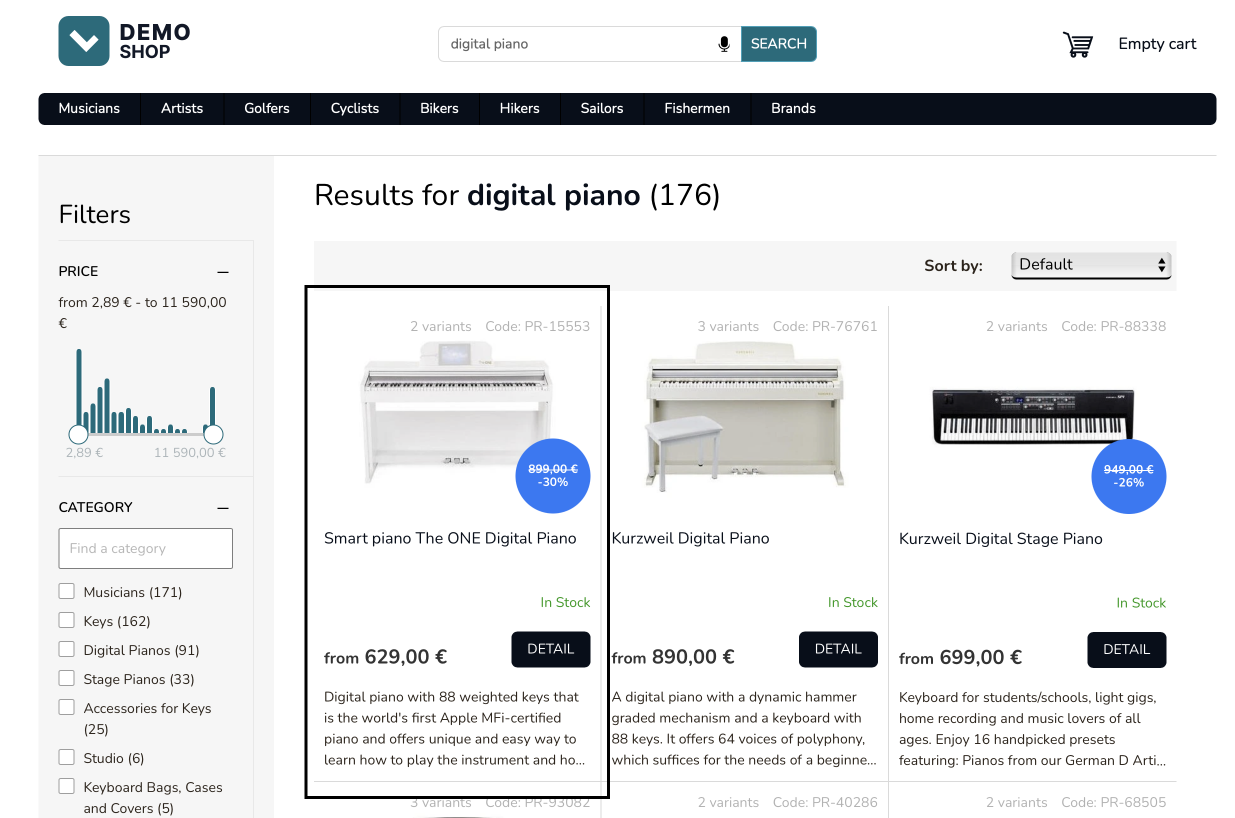
{ "hits": [ { "url": "PR-15553", "attributes": { "image_link": "https://cdn.myshoptet.com/usr/demoshop.luigisbox.com/user/shop/detail/1774257_smart-piano-the-one-digital-piano.jpg", "title": "Smart piano The ONE Digital Piano", "price_amount": 629, "web_url": "/smart-piano-the-one-digital-piano/" }, "type": "item" }, { "url": "PR-76761", "attributes": { "image_link": "https://cdn.myshoptet.com/usr/demoshop.luigisbox.com/user/shop/detail/1784343_kurzweil-digital-piano.jpg", "title": "Kurzweil Digital Piano", "price_amount": 890, "web_url": "/kurzweil-digital-piano/" }, "type": "item" } ]}API response shortened for brevity.
Render facets
Section titled “Render facets”The facets part of the Search API response contains data for the filtering options. There are several types of facets that you may see in the response:
-
floatfacet which is generated for numerical fields. This facet type operates on ranges and is designed to bucket the attribute values into smaller equally distributed ranges. Each smaller range includeshits_countwhich indicated number of results within this range (2.89|182.5 translates to a range of values between 2.89 and 182.5).normalized_hits_countindicate a percentage of total, for example, a value of 0.2 means that 20% of all results are within this range. -
textfacet which is generated for string fields. This facet type gives you back individual attribute values along with number of results that have this attribute value. -
booleanfacet which is generated for boolean attributes. This facet may contain only 2 values - “true” and “false”. It is typically rendered as a single checkbox.
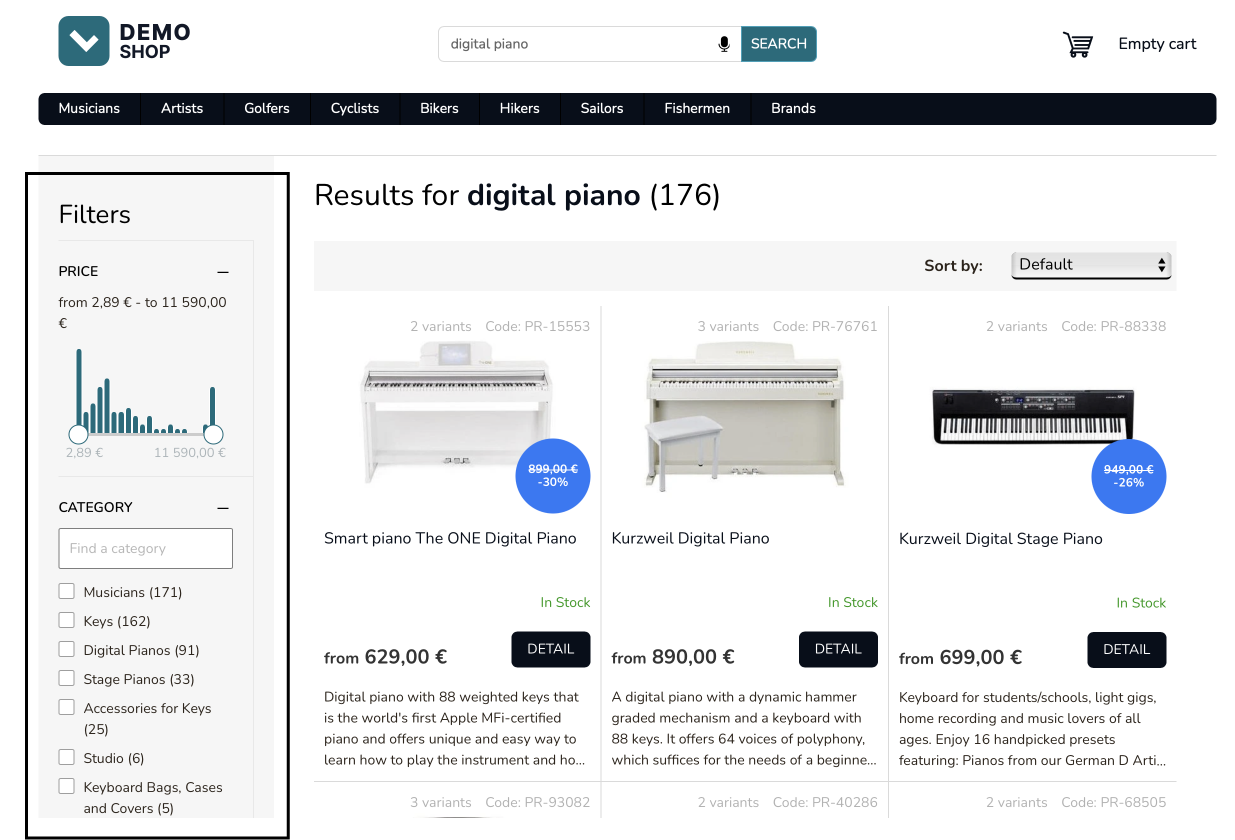
{ "facets": [ { "name": "price_eur_amount", "type": "float", "values": [ { "value": "2.89|182.5", "hits_count": 34, "normalized_hits_count": 0.2 }, { "value": "182.5|365.0", "hits_count": 8, "normalized_hits_count": 0.05 }, { "value": "365.0|547.5", "hits_count": 12, "normalized_hits_count": 0.07 } ] }, { "name": "category", "type": "text", "values": [ { "value": "Musicians", "hits_count": 171 }, { "value": "Keys", "hits_count": 162 }, { "value": "Digital Pianos", "hits_count": 91 } ] }, { "name": "on_sale", "type": "boolean", "values": [ { "value": "true", "hits_count": 80 }, { "value": "false", "hits_count": 190 } ] } ]}API response shortened for brevity.
Render facets universally
Section titled “Render facets universally”Luigi’s Box can automatically select the most appropriate facets for the user’s query. It is also possible to set up specific facets manually in Luigi’s Box administration. In order to support these features, do not rely on the predefined facets in the response. Instead, render the facets based on the API response.
In general this requires you to prepare components for each of the main facet types (numerical, text, boolean) and act on the API response, reading the list of returned facets and their types.
response.facets.forEach(facet) { if (facet.type === 'float') { renderRangeFacet(facet); } if (facet.type === 'text') { renderCheckboxesFacet(facet); } if (facet.type === 'boolean') { renderSingleCheckboxFacet(facet); }}Render total number of results
Section titled “Render total number of results”The total_hits attribute in the API response indicates the total number of results. You can use this data to provide information to the user.
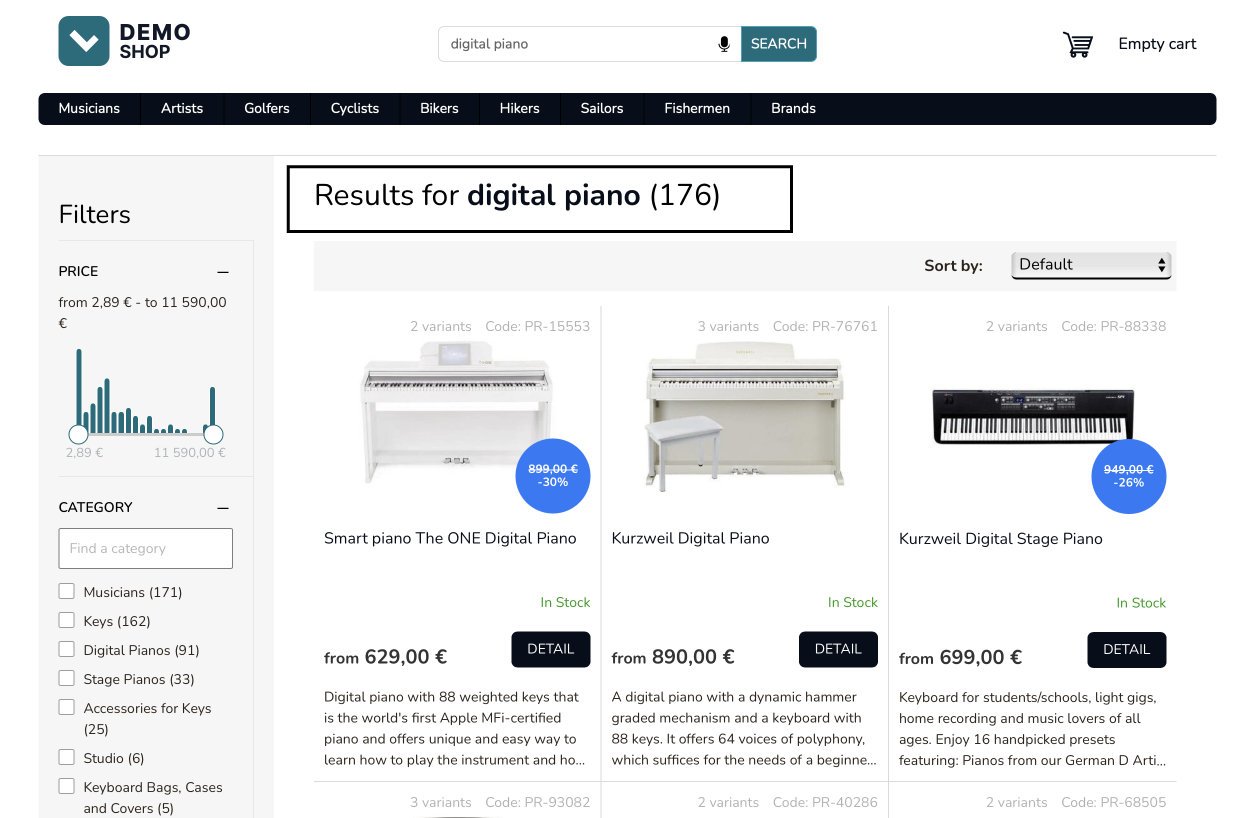
{ "total_hits": 171}API response shortened for brevity.
Render pagination
Section titled “Render pagination”There are several attributes in the API response that help you with pagination:
total_hitsindicates the total results that can be retrieved when using pagination. Divide it bysize(which is a request parameter) to calculate total number of pages. Use thepagerequest parameter to indicate the page you want to retrieve by the API call.next_pageprovides the API call to retrieve the next page of results. If you want to implement a simple “Next page” type of pagination, you can use the value of this attribute as-is to request the next page of results.
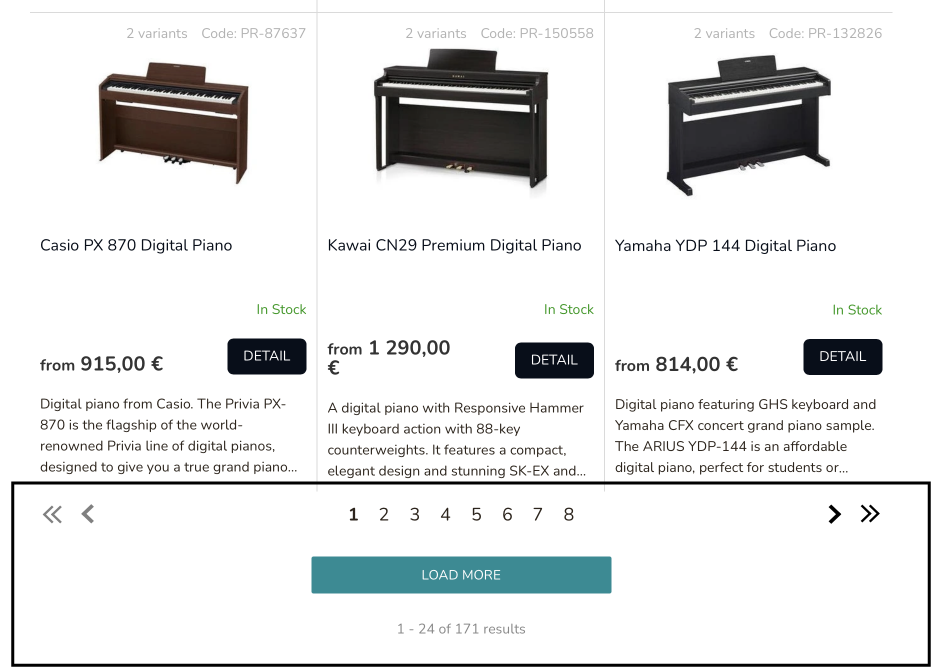
{ "total_hits": 171, "next_page": "https://live.luigisbox.com/search?tracker_id=&f[]=type:item&q=digital%20piano&facets=price_eur_amount,category&page=2"}API response shortened for brevity.
Render sorting options
Section titled “Render sorting options”Use the sort API parameter to change the sorting. Note that when you request an explicit sorting, the results will be sorted by this attribute and no AI-based ranking will be used.
To use the AI-based ranking, provide no sort parameter at all. If you pass the sort parameter, the results are simply ranked by that attribute and personalization and AI-based ranking is not used.
Also note that requesting an explicit sort may cause the number of results to vary. See the Knowledge base article for more details.
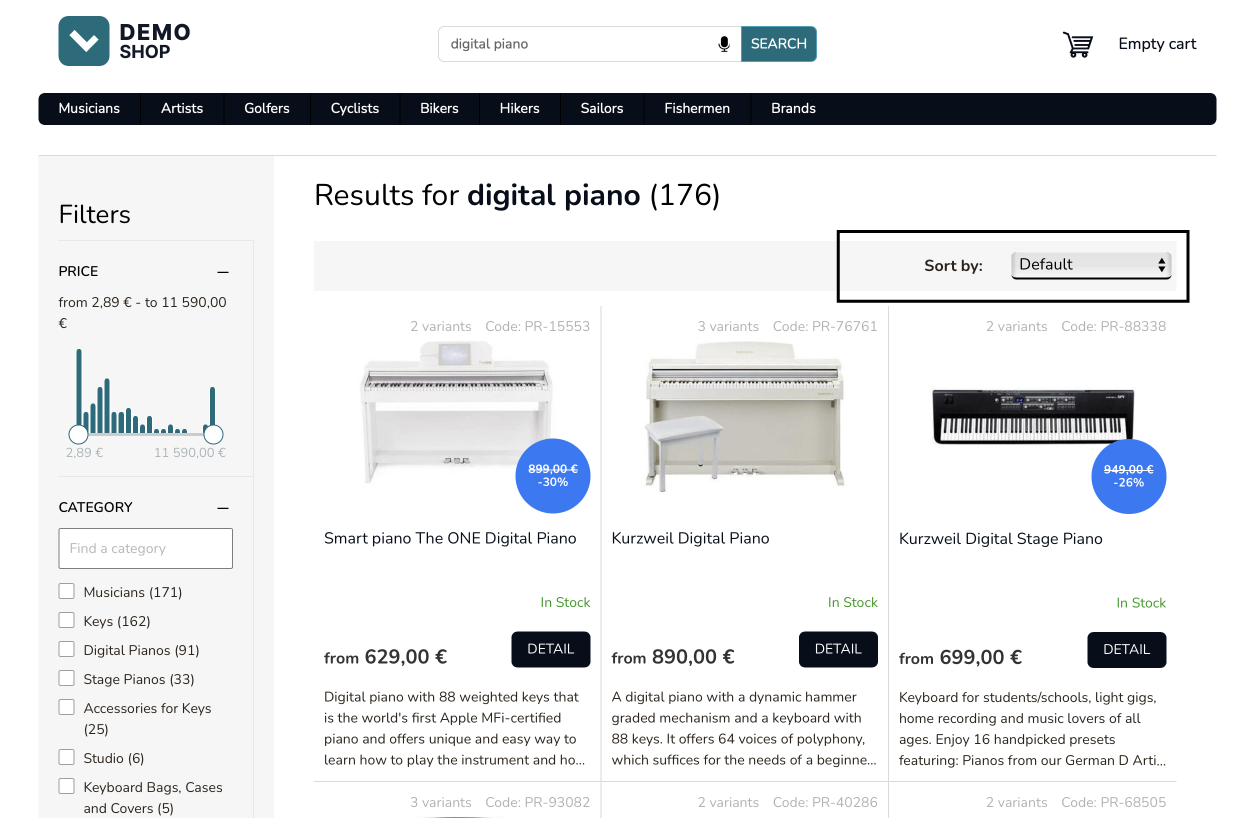
GET https://live.luigisbox.com/search ?q=digital+piano &f[]=type:item &facets=price_amount,category &sort=price_amount:desc &user_id=<transient_user_id>Interacting with filters
Section titled “Interacting with filters”When the user selects a filter, issue a new search API request using the f[] parameter to indicate the selected filter. The example request on this page serves the search results page in the case the user selected “Stage Pianos” in the “Category” facet. The value of the f[] attribute is always a colon separated pair - attribute:value.
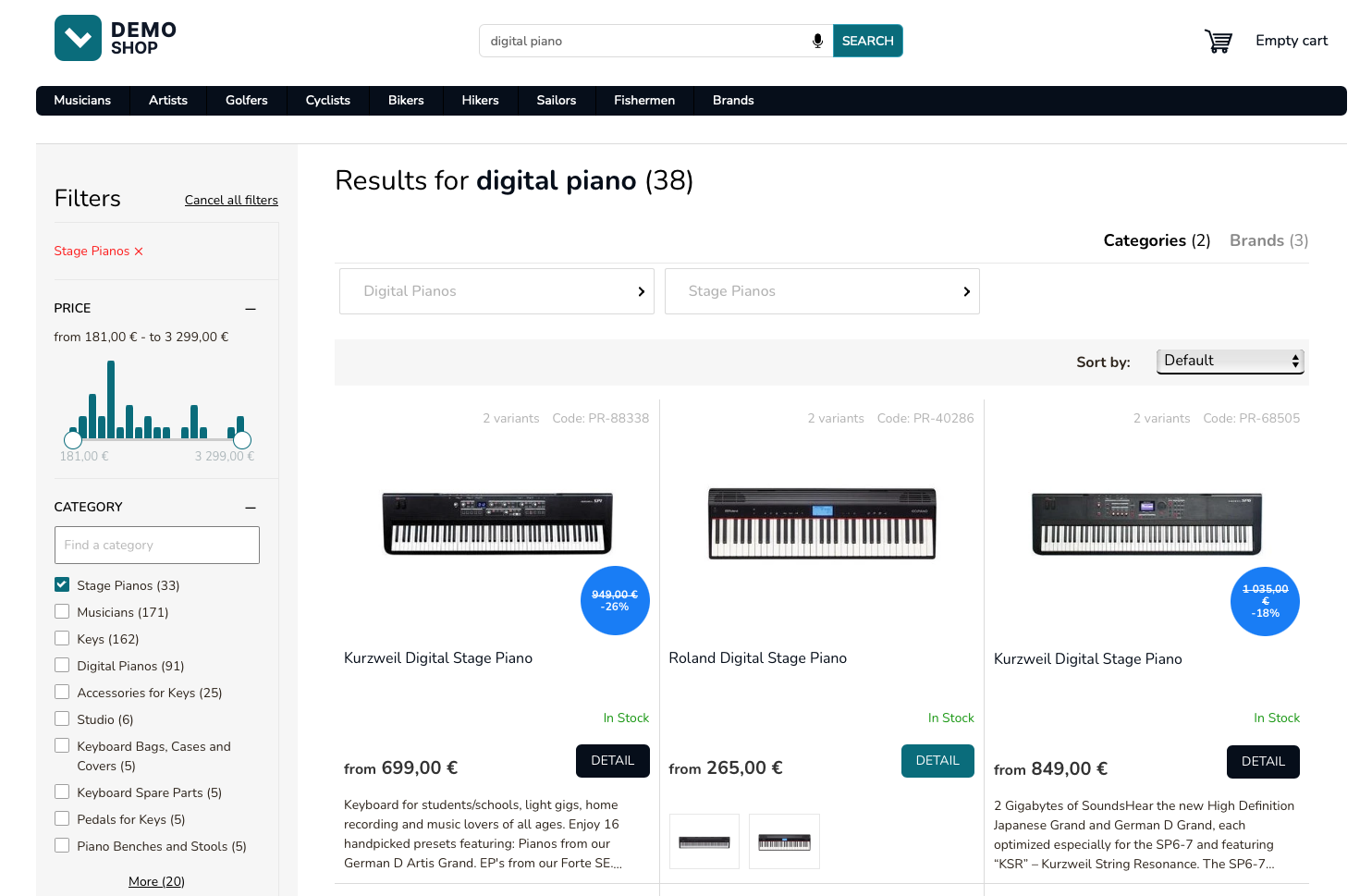
GET https://live.luigisbox.com/search ?q=digital+piano &f[]=type:item &f[]=category:Stage+Pianos &facets=price_amount,category &user_id=<transient_user_id>Notice the f[]=category=Stage+Pianos parameter which indicates the selected filter.
Interacting with numerical filters
Section titled “Interacting with numerical filters”When the user interacts with a numerical attribute, use a slightly different approach in the API request. The numeric attributes can be filtered using a range syntax.
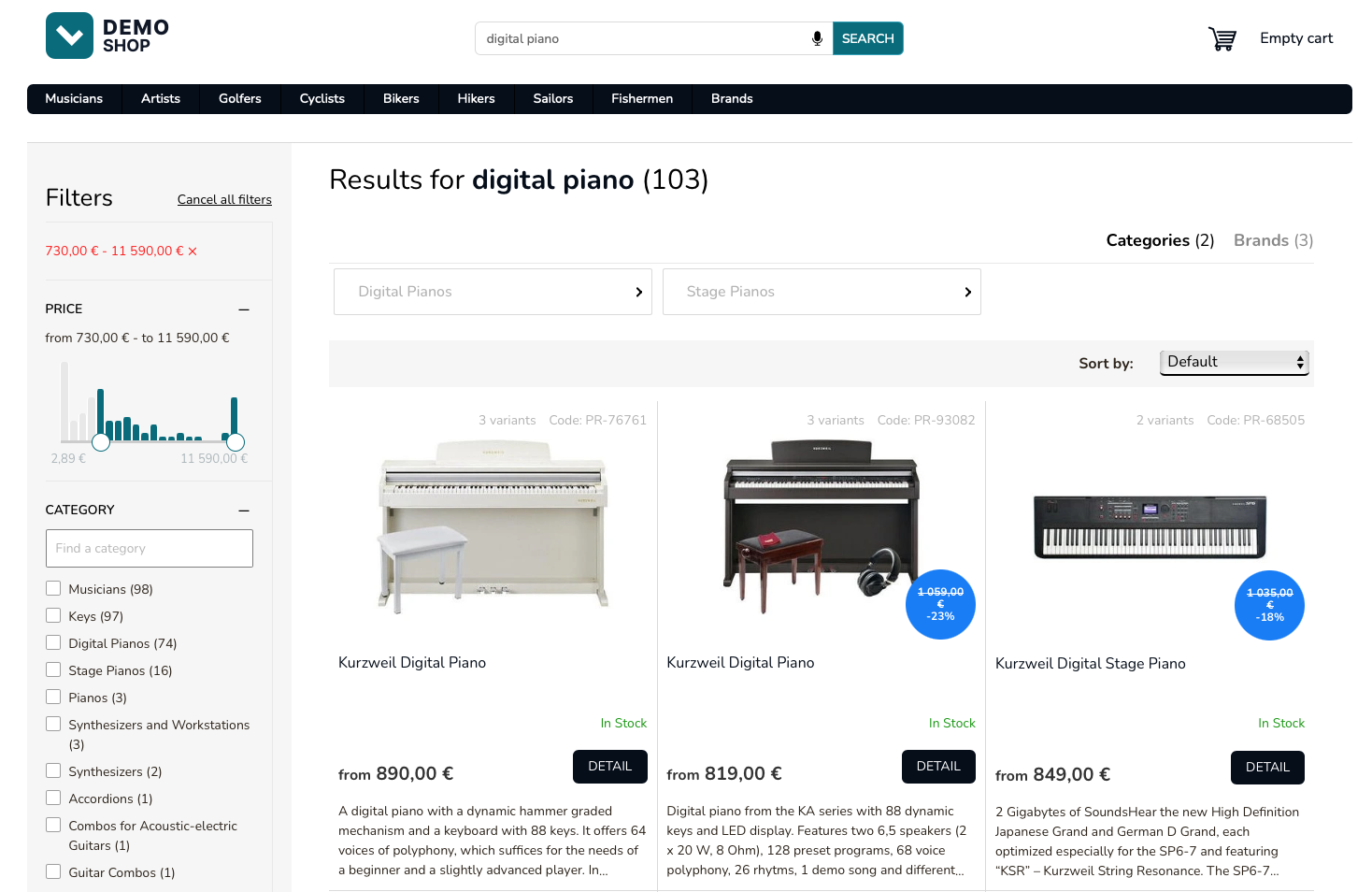
GET https://live.luigisbox.com/search ?q=digital+piano &f[]=type:item &f[]=price_eur_amount:730.0|11590.0 &facets=price_amount,category &user_id=<transient_user_id>Notice the f[]=price_eur_amount:730.0|11590.0 parameter which indicates the selected filter. This will cause the API to return only products with price_amount_eur attribute in the interval 730 — 11590.
Filtering on several attributes
Section titled “Filtering on several attributes”You can filter on several values and several attributes in a single request. Simply add as many f[] parameters as necessary.
Note the implicit semantics: filtering on different values on a single attribute is a bool OR operation and there’s a bool AND across different attributes.
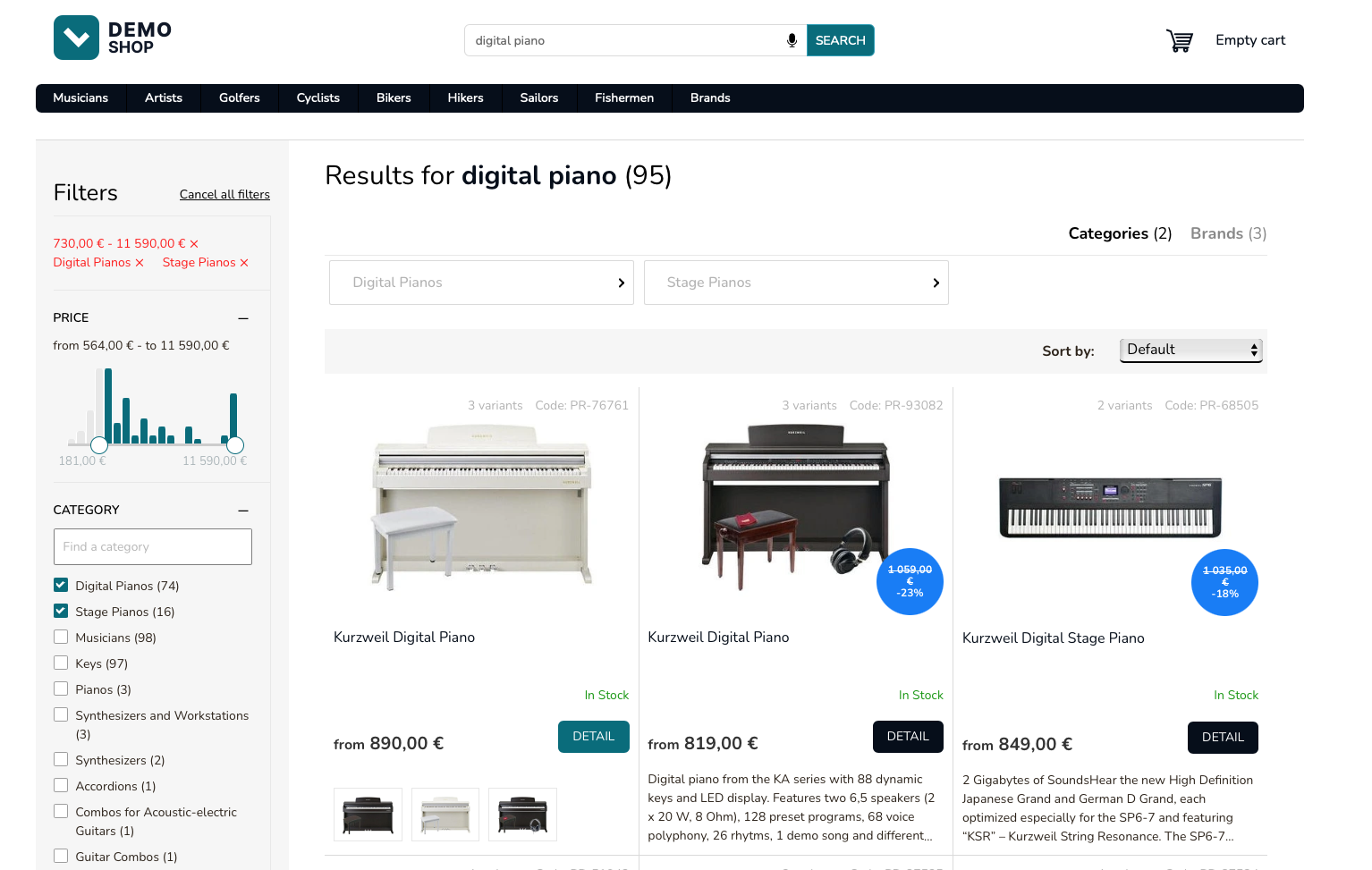
GET https://live.luigisbox.com/search ?q=digital+piano &f[]=type:item &f[]=category:Stage+Pianos &f[]=category:Digital+Pianos &f[]=price_amount:730.0|11590.0 &facets=price_amount,category &user_id=<transient_user_id>Notice the various f[] parameters which indicate the selected filter. This specific combination will be interpreted as (category: Stage Pianos OR Digital Pianos) AND (price_amount within 730 - 11590).
Rendering results for several types (products, categories, brands)
Section titled “Rendering results for several types (products, categories, brands)”It is a standard practice to include results for more than one type on the search results page. From the perspective of the user experience, there’s always one main type that is used for filtering, sorting and pagination. The other types (called quicksearch types) are provided without pagination or filtering option (but you can specify sorting).
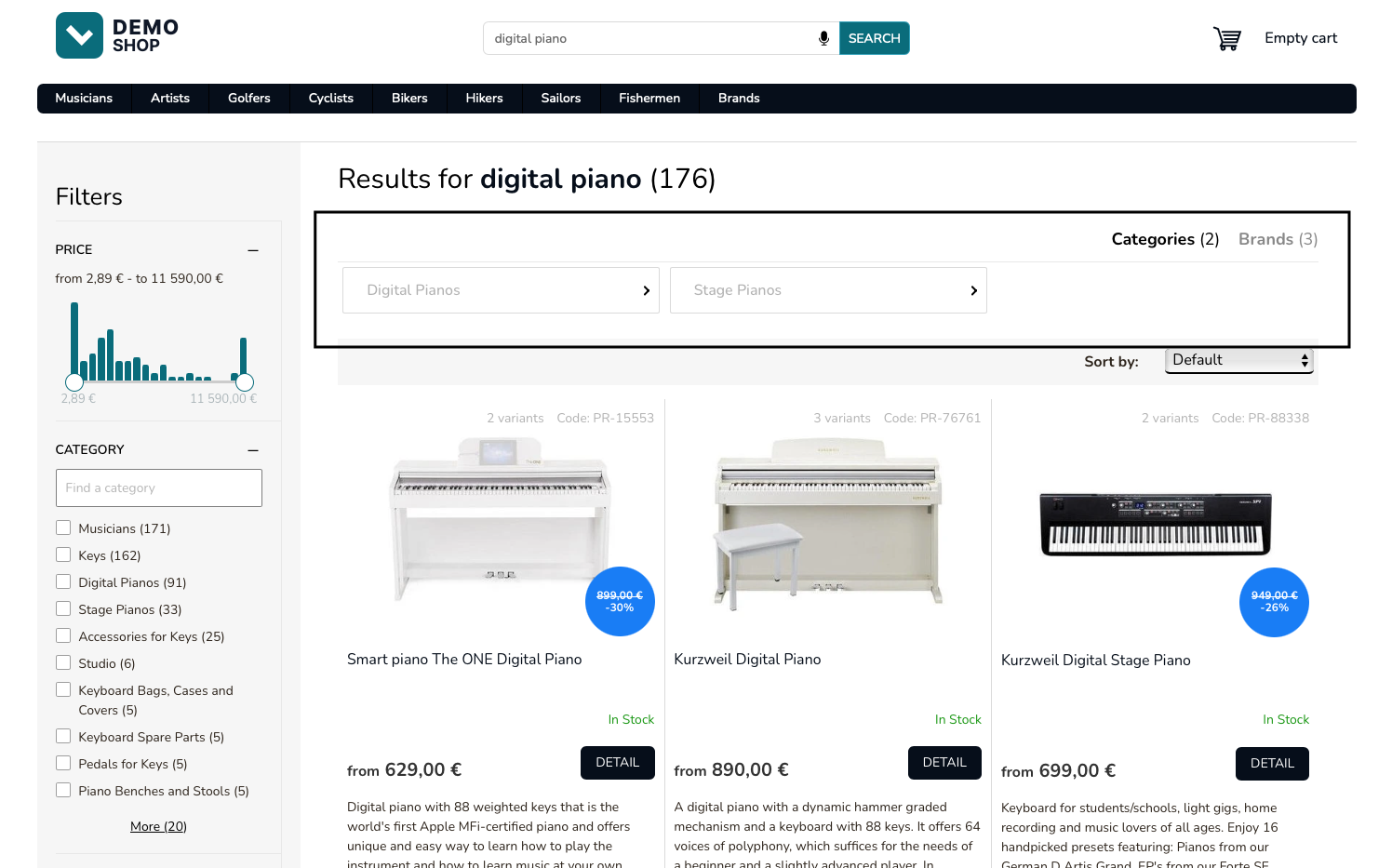
To request quicksearch types, add a quicksearch_types parameter.
GET https://live.luigisbox.com/search ?q=digital+piano &f[]=type:item &quicksearch_types=category:6,brand:3 &facets=price_amount,category &user_id=<transient_user_id>- The
f[]=type:itemparameter specifies the main type to which sorting, filtering and pagination options apply. - The
quicksearch_typesparameter specifies results for the additional types that should be loaded.
{ "quicksearch_hits": [ { "url": "/digital-pianos/", "attributes": { "hierarchy": [ "Musicians", "Keys" ], "title": "Digital Pianos", "web_url": "/digital-pianos/" }, "type": "category" }, { "url": "/stage-pianos/", "attributes": { "hierarchy": [ "Musicians", "Keys" ], "title": "Stage Pianos", "web_url": "/stage-pianos/" }, "type": "category" }, { "url": "/smart-piano/", "attributes": { "title": "Smart piano", "web_url": "/smart-piano/" }, "type": "brand" }, { "url": "/kurzweil/", "attributes": { "title": "Kurzweil", "web_url": "/kurzweil/" }, "type": "brand" } ]}API response shortened for brevity.
Fire a dataLayer event for search
Section titled “Fire a dataLayer event for search”After the results have been rendered, fire a Search Results dataLayer event describing what you have just rendered.
dataLayer.push({ event: "view_item_list", ecommerce: { item_list_name: "Search Results", search_term: "digital piano", items: [ { item_id: "PR-15553", item_name: "Smart piano The ONE Digital Piano", index: 1, price: 629, type: "item" }, { item_id: "PR-76761", item_name: "Kurzweil Digital Piano", index: 2, price: 890, type: "item" }, { item_id: "/digital-pianos/", item_name: "Digital pianos", index: 3, type: "category" }, { item_id: "/smart-piano/", item_name: "Smart piano", index: 4, type: "brand" } ] }});dataLayer event shortened for brevity.
Fire a dataLayer event for search with filters
Section titled “Fire a dataLayer event for search with filters”In case the user selected some filters, include the filters in the dataLayer event. Make sure to use the same attribute names as in the API request to provide feedback to the models.
dataLayer.push({ event: "view_item_list", ecommerce: { item_list_name: "Search Results", search_term: "digital piano", items: [ { item_id: "PR-15553", item_name: "Smart piano The ONE Digital Piano", index: 0, price: 629 }, { item_id: "PR-76761", item_name: "Kurzweil Digital Piano", index: 1, price: 890 } ], filters: { "category": ["Stage Pianos", "Digital Pianos"], "price_amount": "730.0|11590.0" } }});dataLayer event shortened for brevity.
Fire a dataLayer click event
Section titled “Fire a dataLayer click event”When the user clicks on a result, immediately fire a dataLayer event.
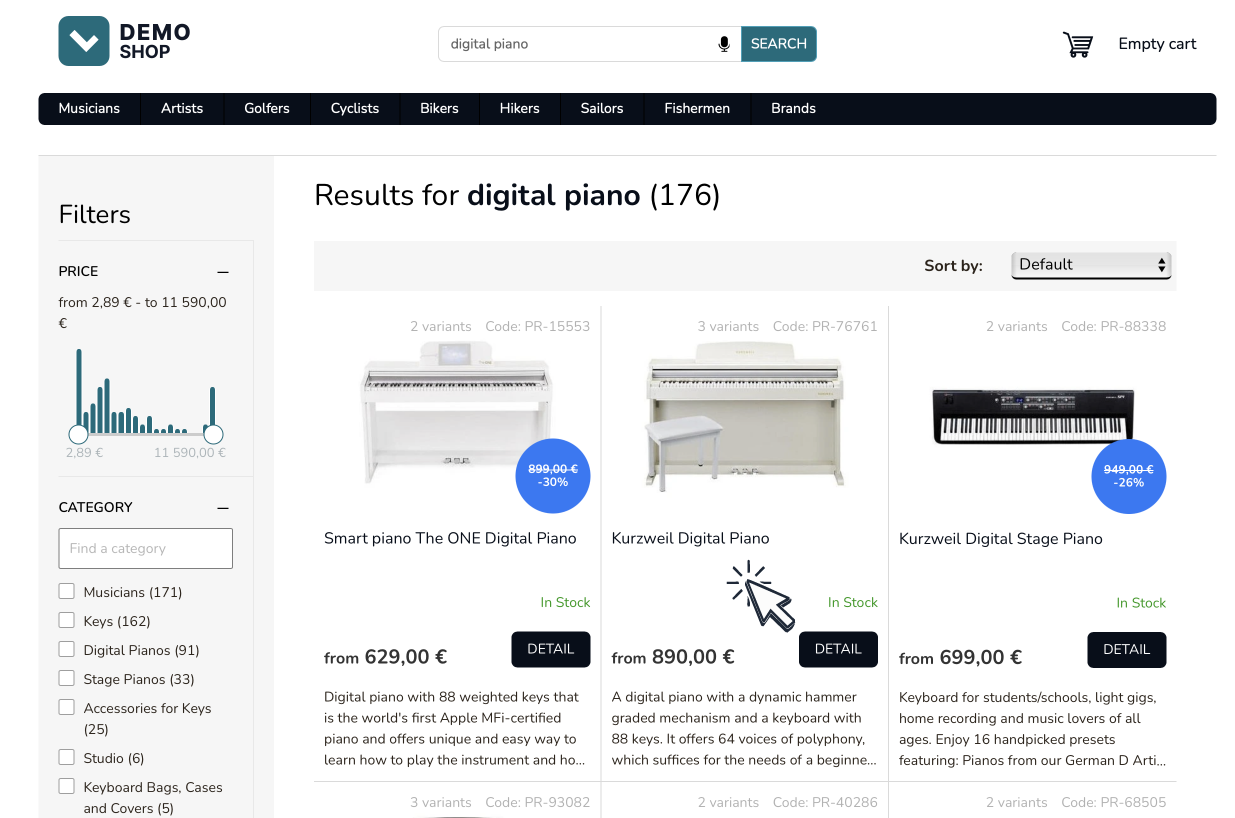
dataLayer.push({ event: "select_item", ecommerce: { items: [ { item_id: "PR-76761", } ] }});Banners in search results
Section titled “Banners in search results”To provide integration for the Banner campaigns feature obey the banner instructions in the campaigns attribute in the API response.
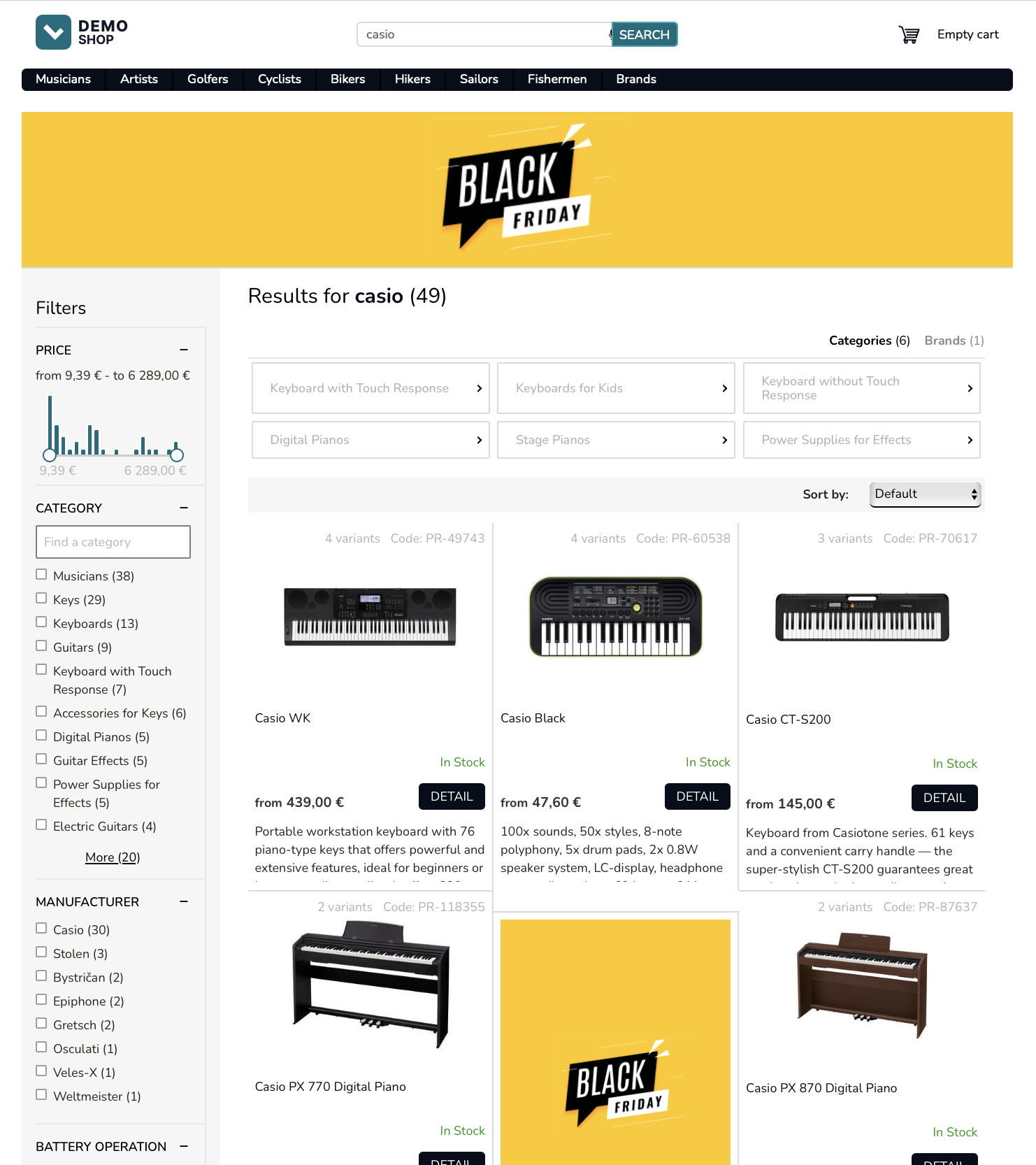
{ "hits": [], "campaigns": [ { "id": 45, "target_url": "https://www.luigisbox.com", "banners": { "search_panel": { "desktop_url": "https://luigisbox-tmp-public-feeds.s3.eu-central-1.amazonaws.com/240x280.png", "mobile_url": "https://luigisbox-tmp-public-feeds.s3.eu-central-1.amazonaws.com/420x240.png" }, "search_list": { "desktop_url": "https://luigisbox-tmp-public-feeds.s3.eu-central-1.amazonaws.com/340x490.png", "mobile_url": "https://luigisbox-tmp-public-feeds.s3.eu-central-1.amazonaws.com/340x490.png" } } } ]}API response shortened for brevity.
User sign in
Section titled “User sign in”dataLayer.push({ event: "luigisbox.collector.customer_id", customer_id: "281827"});Once you know the personalized user ID, emit a customer_id dataLayer event.
Render search results page for an identified user
Section titled “Render search results page for an identified user”When the user loads a search results page, you will fire an API request to the search endpoint to fetch the search results, passing both transient and persistent user IDs.
GET https://live.luigisbox.com/search ?q=digital+piano &f[]=type:item &facets=price_amount,category &user_id=<persistent_user_id> &client_id=<transient_user_id>user_id=<persistent_user_id>- pass the persistent user IDclient_id=<transient_user_id>- pass the value of the_lbcookie
Limit amount of data transferred
Section titled “Limit amount of data transferred”GET https://live.luigisbox.com/search ?q=digital+piano &f[]=type:item &facets=price_amount,category &hit_fields=product_id,title,price,image_link &remove_fields=nested &user_id=<transient_user_id>To limit the amount of data transferred between systems, specify the hit_fields and/or remove_fields attribute in the API request. It is an array of result properties which will be included in the API response. By using this, you can significantly reduce the amount of data transfer and increase performance.
What’s next?
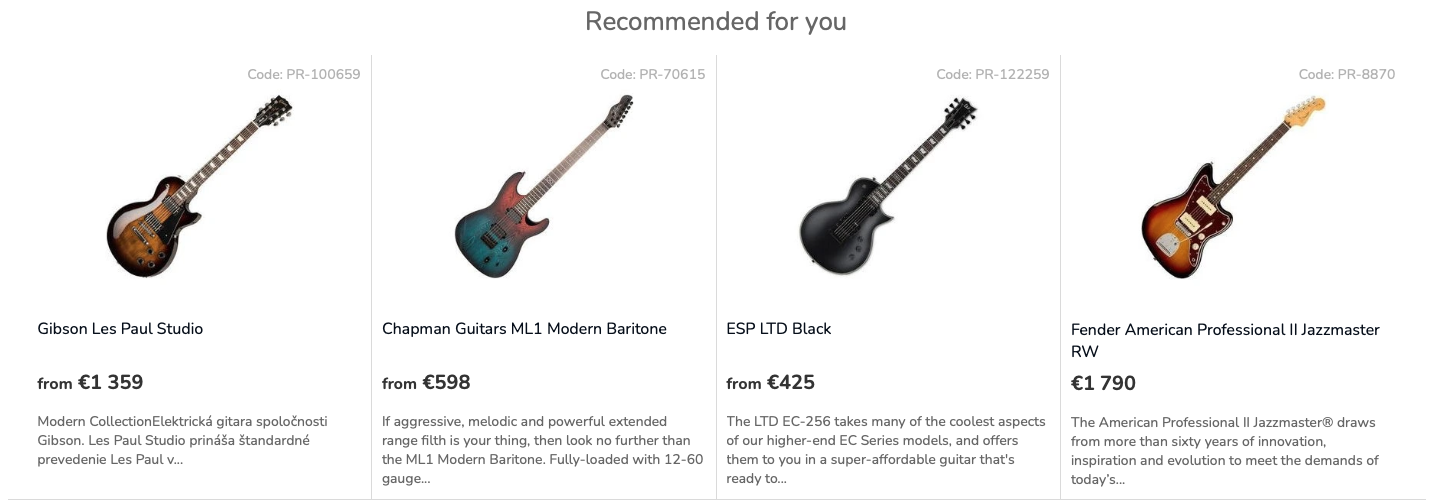
Section titled “What’s next?”Continue by implementing the recommendation boxes.
Was this page helpful?
Thanks.